Imgica AI
Opening ai inpainting.0.0s
Imgica AI
Opening ai inpainting.0.0s
Image editing · Inpainting
Paint a mask over the one region that is wrong, type a plain sentence about what should be there instead, and the model repaints that region and blends the seam. Everything outside the mask stays exactly as you shot it.
01 · Replace, not remove
Inpainting is for the spot that should be something else. A new sky through the window, a linen jacket instead of the creased one, a cafe table where the scooter parked. You mask the region, say what belongs there, and the model rebuilds it in the scene's own light.
Inpainting · job ticket
02 · Proof, outdoors
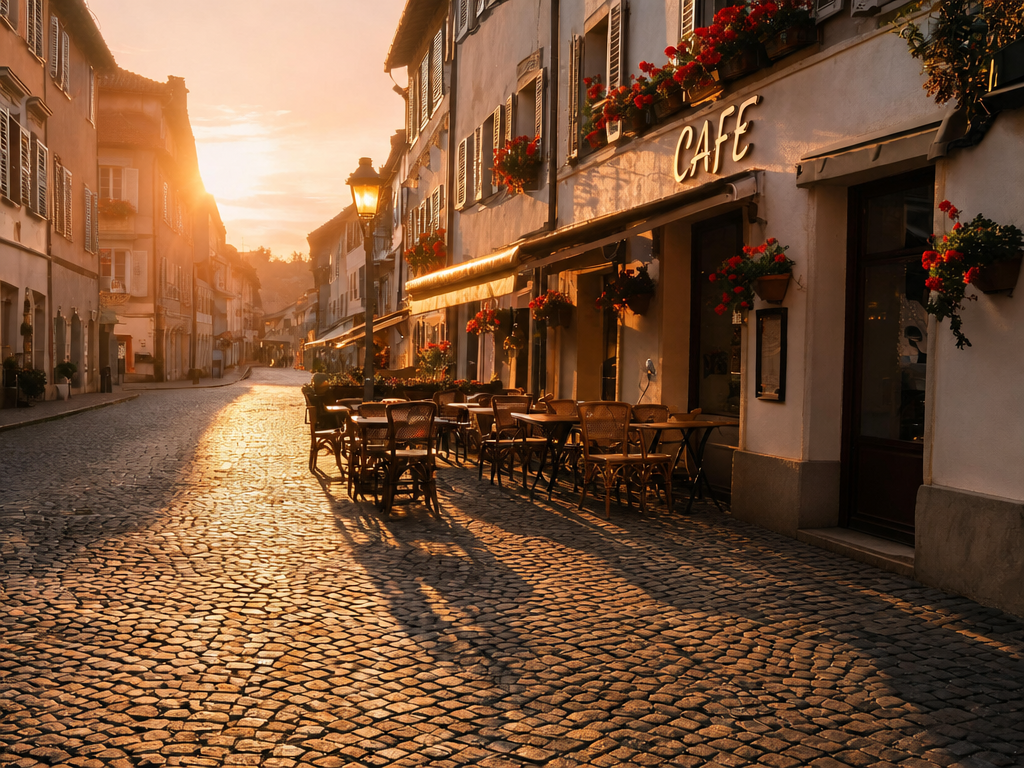
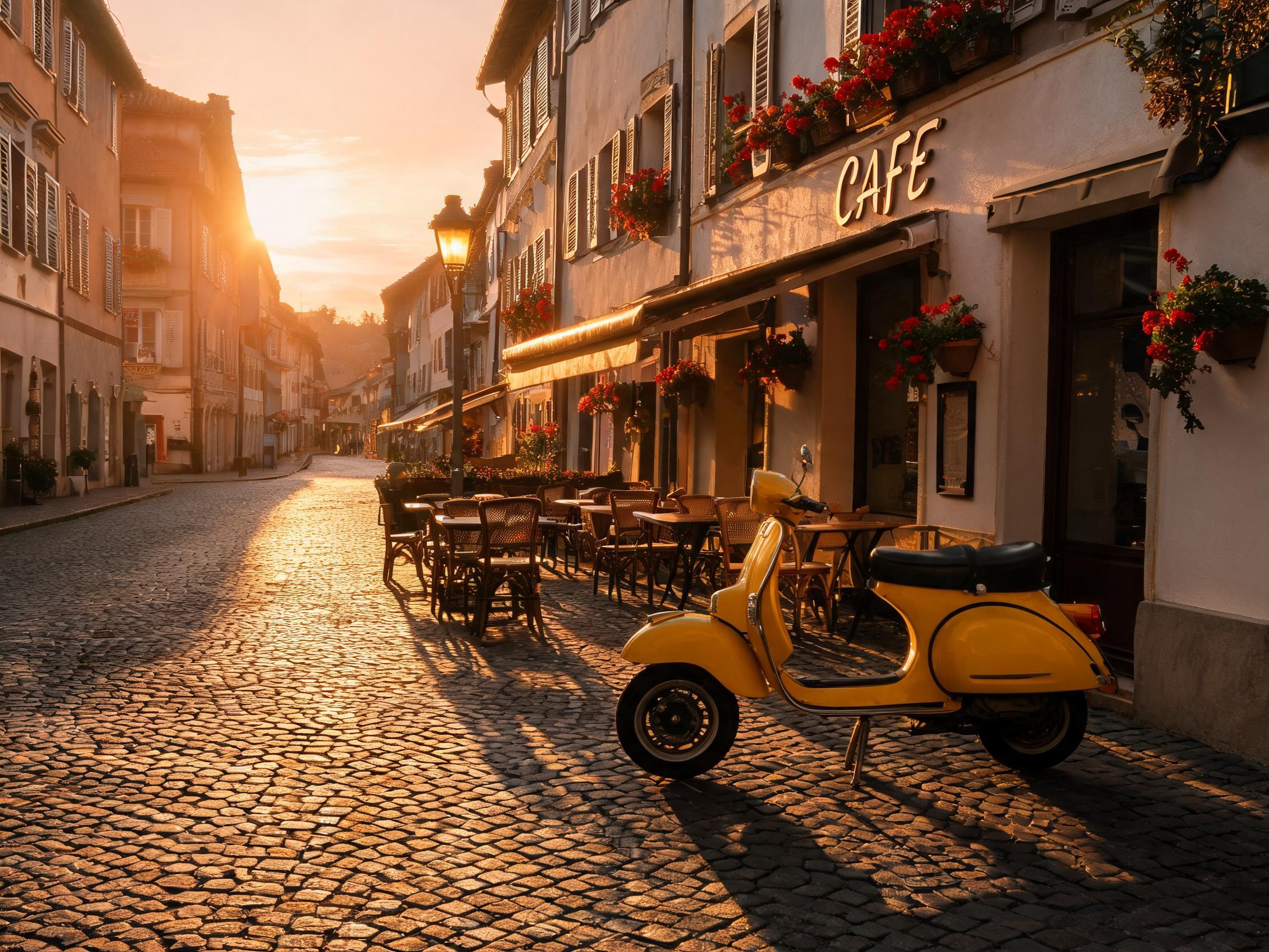
A second real job, outdoors this time. One marquee around the scooter, one sentence through the Seedream V5 engine, and the street keeps its sunset.
 Masked region
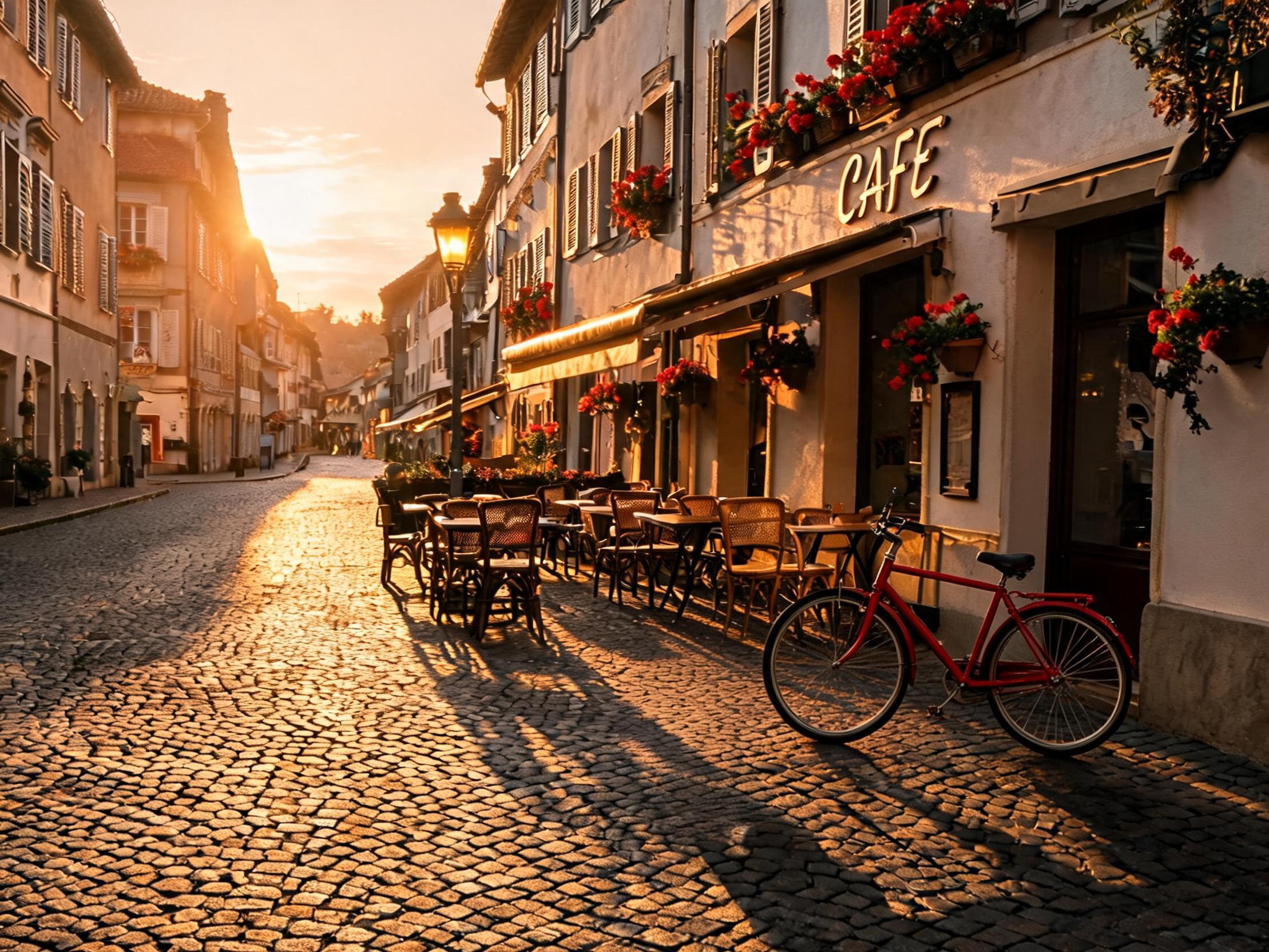 Real output · Seedream V5
“replace the yellow scooter with a red vintage bicycle leaning on the same spot, change nothing else in the scene”
Something in your own photo should be something else.Mask it, type it, swap it
The swap · itemized
03 · Mask craft
Two masks around the same subject. The tight one starves the blend. The loose one gives the model room to work.
Hugging the edge leaves the model no surroundings to blend into. Seams show, and the patch reads as a sticker on the photo.
A little breathing room around the region lets the new content settle into its neighbors. Slightly loose usually wins.
Overshot? The unpaint brush pulls the mask back, and the fullscreen editor gets you close on fiddly edges. Brushes run from 5 to 80px.
04 · The patch prompt
The mask already says where. The sentence only has to say what, in the same light. Short and literal beats long and lyrical.
Name the thing you want, not the thing you are removing. The model paints nouns far better than absences.
Write“a brick wall in afternoon light”
Not“remove the graffiti and make it look nice”
Borrow the scene's own words: golden hour, overcast, lamplight. The patch has to live in the photo it lands in.
Write“a cafe table in low golden light”
Not“a table, bright studio lighting”
One region, one sentence. If the fix needs a paragraph, it probably wants two masks and two runs.
Write“a clear sky through the window”
Not“fix the window, the sky, the curtains and the wall around them”
05 · The bench
Every engine reads the same mask and the same sentence, then takes its own swing at the region. If the first take misses, run the mask again on a different engine. Version history keeps every attempt, so nothing gets lost between tries.
The bench · inpainting engines
06 · Next door
The eraser removes, inpainting replaces. If the scooter should simply vanish and the street should heal behind it, that is the Magic Eraser's job, one door down in the same studio. If something else belongs in that spot, you are already on the right page.
Inpainting rebuilds one chosen region of an image instead of the whole frame. You paint a mask over the area, describe what should be there instead, and the model repaints only that region and blends it in. Everything outside the mask stays exactly as you shot it.
Upload your image in the editing studio, paint a mask over the region you want to change with brushes from 5 to 80px, then type a short description of the replacement and run it. A fullscreen precision editor is there for fiddly masks. You get free tokens at signup, no card required.
The eraser removes, inpainting replaces. If you just want an object gone and the scene healed behind it, the Magic Eraser is the faster tool. If you want something different in that spot, a new shirt, a new sky through the window, an object that was never there, that is a job for inpainting.
Seven engines sit on the bench: Qwen Image 2 and Qwen Image 2 Pro, Seedream V5, Nano Banana 2 and Nano Banana 2 Fast, GPT Image 2 Edit, and EA Edit. You can run the same mask through a different engine for another take, and version history keeps every attempt so nothing gets lost.
Slightly loose usually wins. A mask with a little breathing room around the region gives the model space to blend the new content into its surroundings. If you overshoot, the unpaint brush pulls the mask back, and the fullscreen editor lets you work close on tricky edges.
You start with free tokens at signup, no card required. When you need more, plans are one time purchases rather than subscriptions: pay once and spend the tokens at your own pace. Everything you make is yours.
08 · Begin
Upload the photo, paint the mask, and say what belongs there. The rest of the frame never hears about it.
Free tokens at signup · no card required · everything you make is yours